Frame by frame
Both moves. One screen.
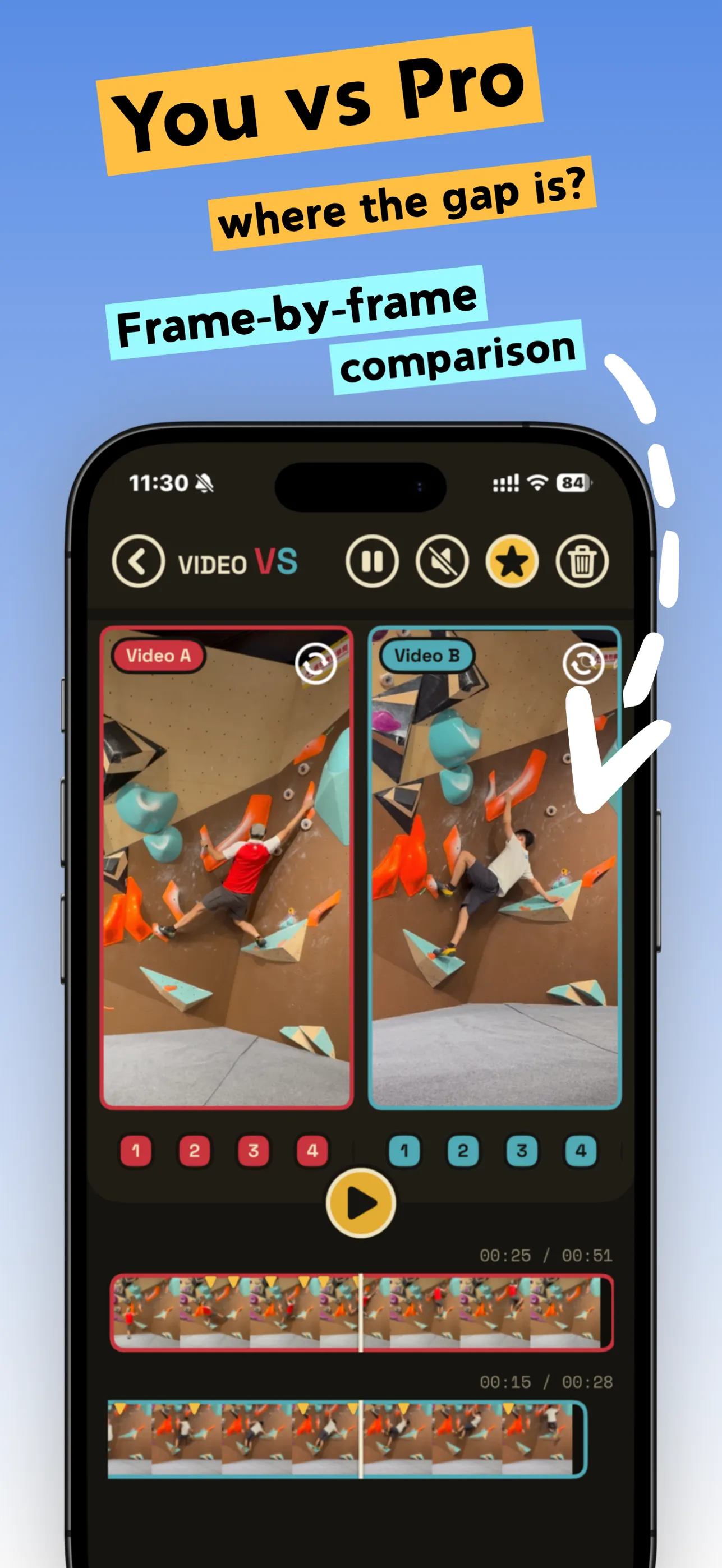
Your clip and the reference, side by side or stacked. A CapCut-style filmstrip sits under each clip with a fixed playhead — drag through time, pinch to zoom from the full clip down to a single second.
Compare your move.
Put two clips side by side on one screen and study every move, frame by frame.
Your move.
The pro's move.
Side by side.
000 / 240
Scrub both clips frame by frame, drop key moments on each, and tap a number to jump both videos to the same action. The gap shows itself.
Your clip and the reference, side by side or stacked. A CapCut-style filmstrip sits under each clip with a fixed playhead — drag through time, pinch to zoom from the full clip down to a single second.
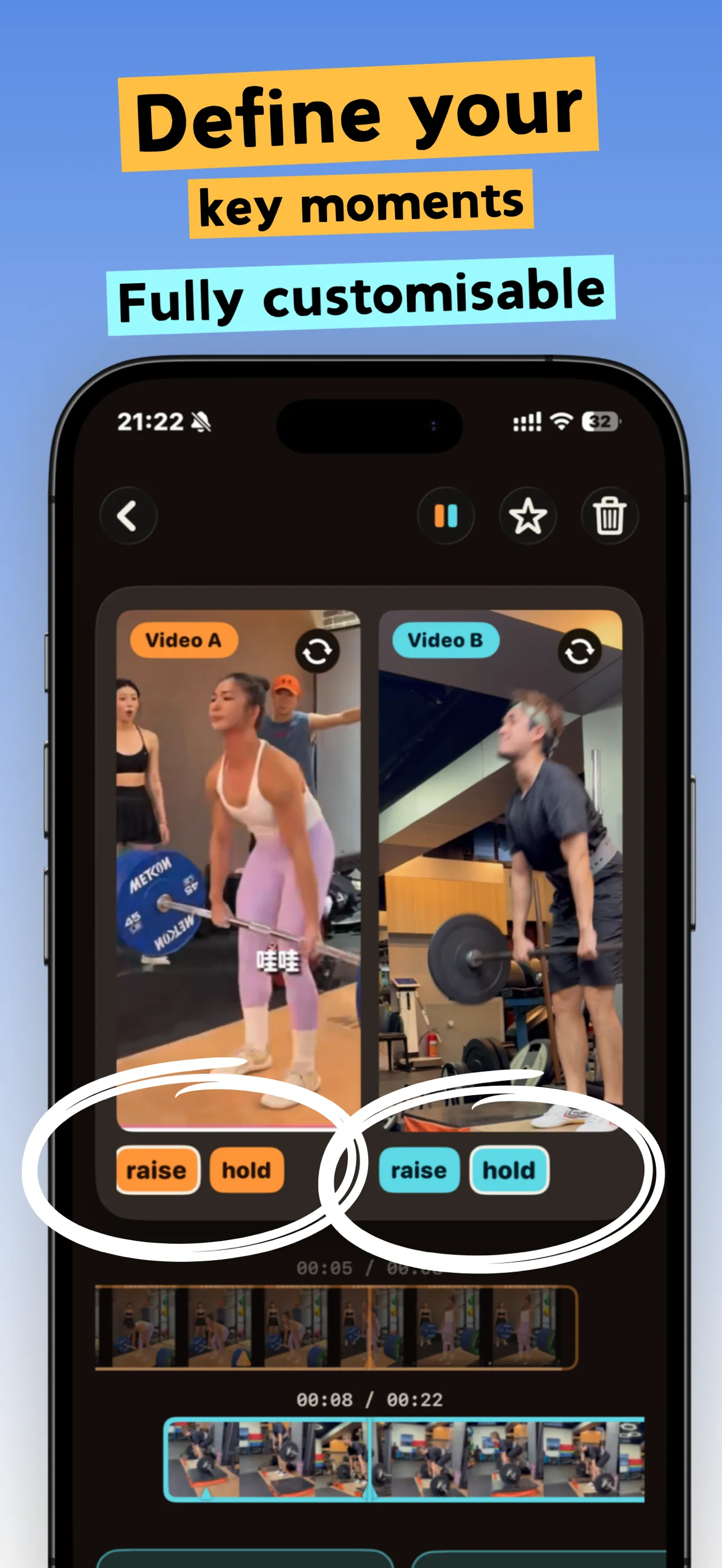
Mark up to 10 key moments on each clip and name them your way. Tap a number and both videos jump to the matching action instantly.
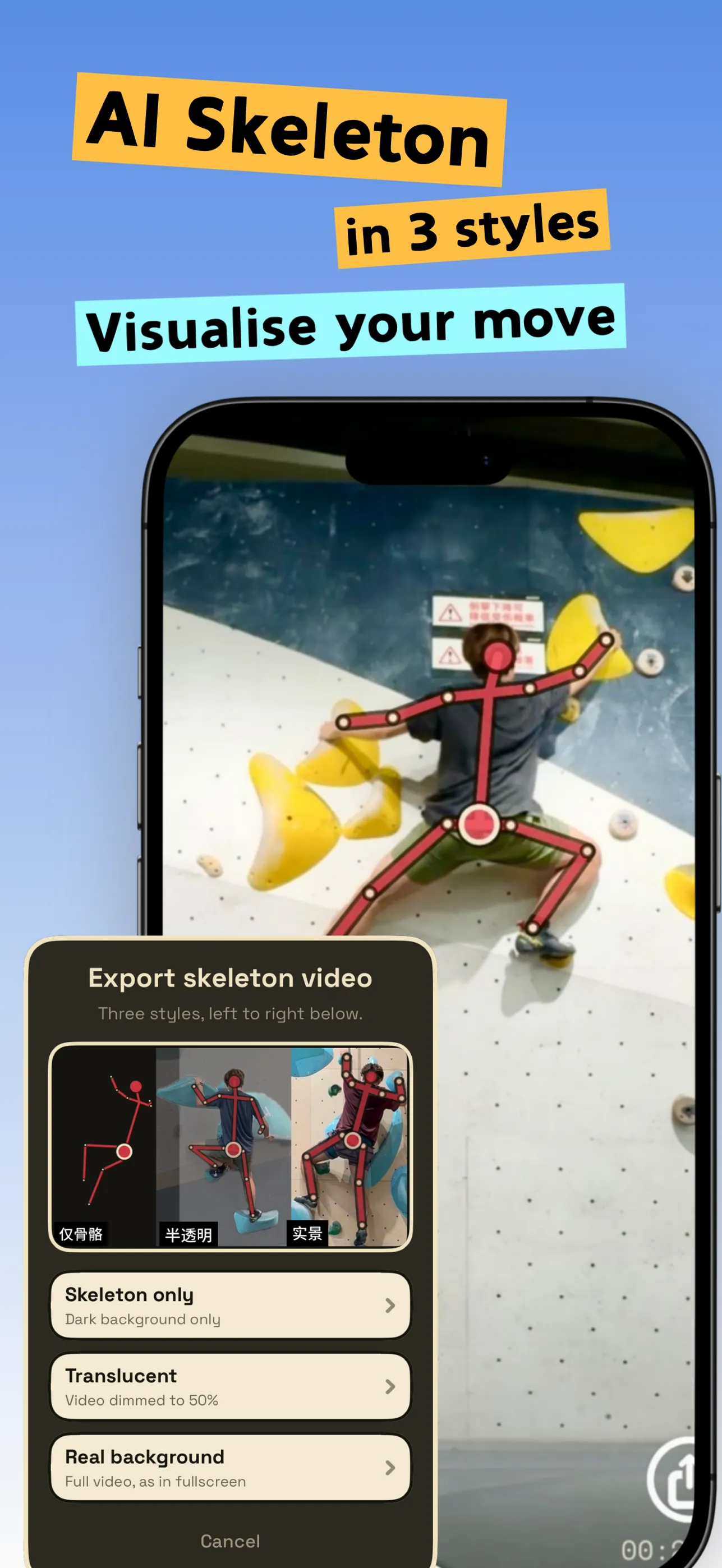
Overlay an AI skeleton on your clip and export it in three styles: skeleton only, translucent, or on the real background.
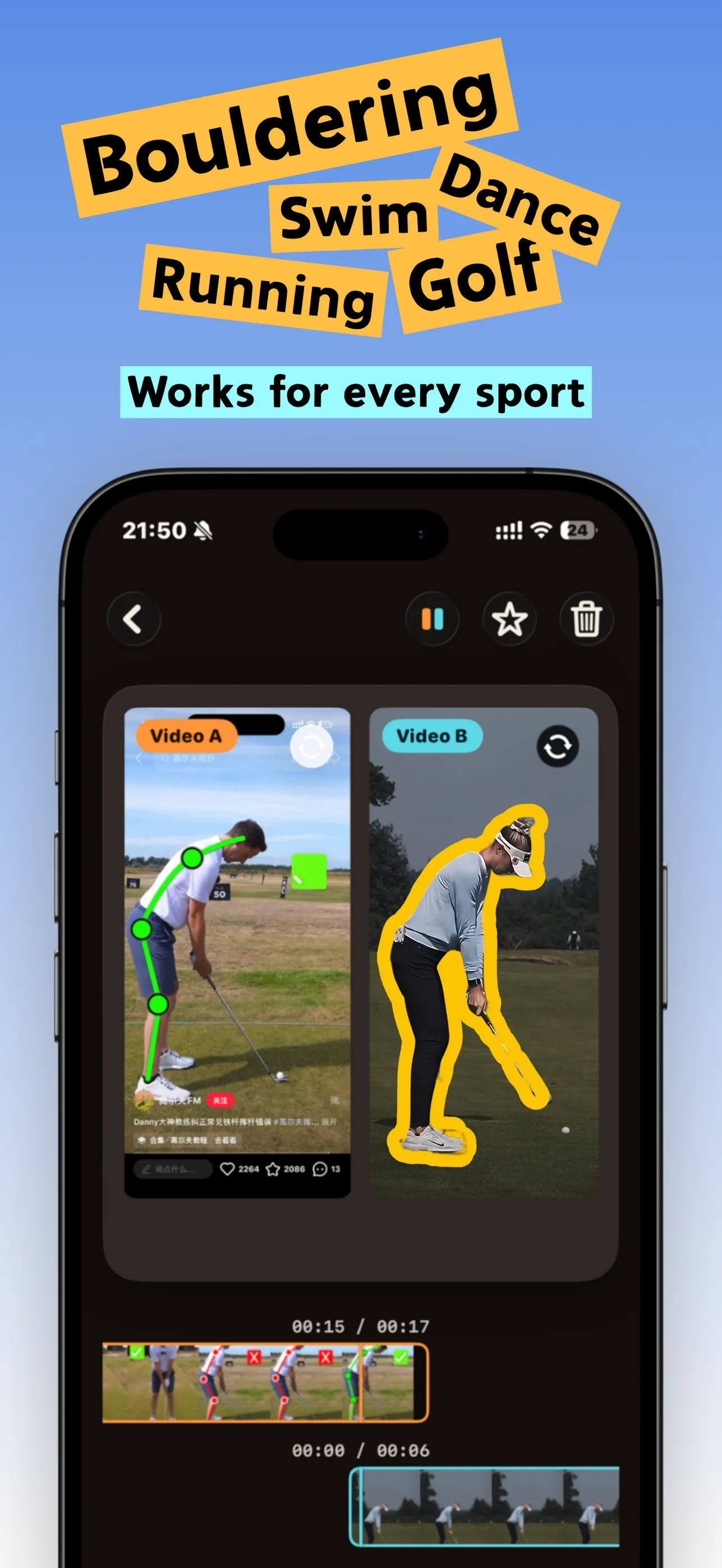
Climbing, swimming, running, tennis, weightlifting, skating, dance, golf — anywhere the same move shows up twice. Landscape or vertical, every aspect ratio works.
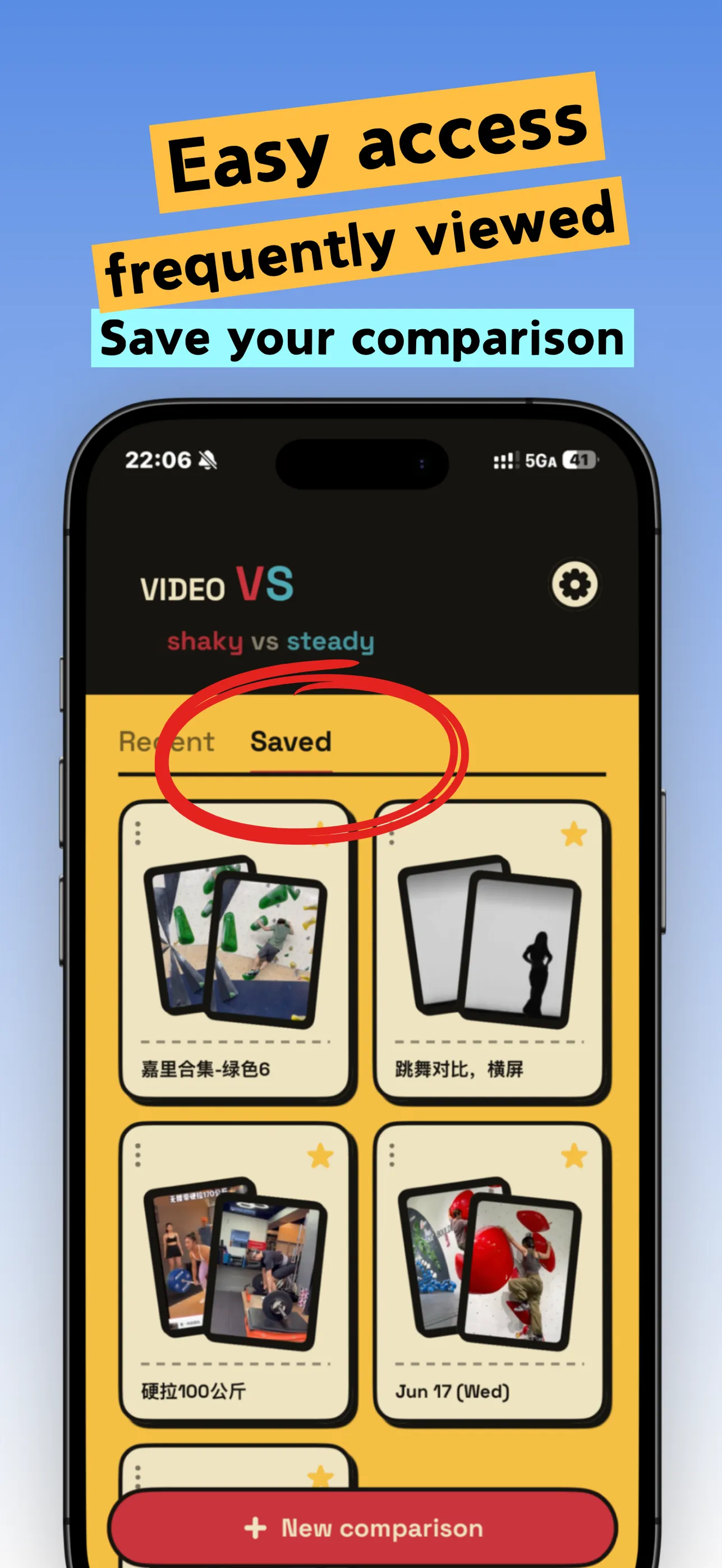
Every comparison saves automatically. Favorite the ones you study most and find them in their own list.
“Thank you for this app — I finally don't have to keep tapping back and dragging the progress bar.”
“Great design — I can watch two videos at the same time.”
“Love this app ❤️ Progress comes from every tiny change — and you only see it clearly side by side.”
Any two clips: your move vs the coach’s, last time vs this time, beta 1 vs beta 2, before vs after, light weight vs heavy. It works for climbing, bouldering, swimming, running, tennis, weightlifting, skating, golf and more.
Mark key moments on each clip (up to 10). Tap a number and both videos jump to the matching action at once.
Yes. Drag the filmstrip under each clip past the fixed playhead, and pinch to zoom from the whole clip down to about one second for the exact frame.
No. Everything stays on your device. video VS only references the videos in your photo library — the originals aren’t copied — and there are no analytics, ads or tracking.
Yes, video VS is free to download on the App Store.